
In HubSpot, a "deletion" can happen in two ways:
1. Record Deletion: The entire Contact or Deal record was deleted, which automatically breaks the association.
2. Association Removal: Both records still exist, but the link between them was manually removed.
Scenario 1: The Contact or Deal Record was Deleted
Restoring the record from the Recycle Bin will automatically restore its previous associations.
How to Restore:
-
Navigate to the object index page (CRM > Contacts or CRM > Deals).
-
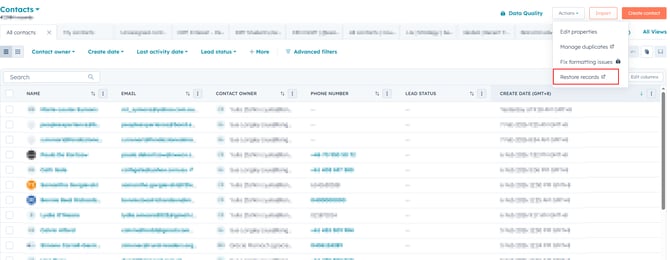
In the upper right, click the Actions dropdown menu and select Restore records.
-
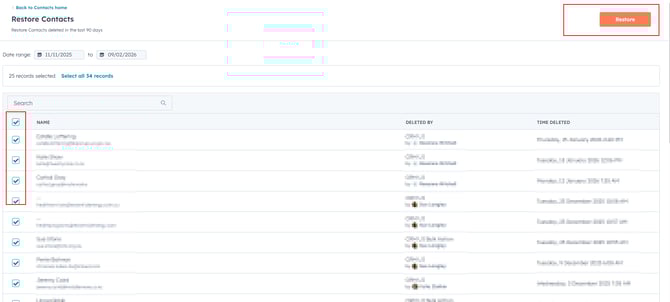
The Recycle Bin will open. Select the checkbox next to the record you want to restore.
-
Click Restore in the upper right.
-
Confirm the number of records and click Restore again.
[!IMPORTANT]
The 90-Day Rule: Records are only kept in the Recycle Bin for 90 days. After this period, they are permanently removed and cannot be recovered.
Scenario 2: The Association was Removed (Records still exist)
If both the Contact and the Deal are still active in your portal but are no longer linked, the association was manually removed. You can use the Association History tool to verify when this happened and who did it before re-linking them.
Step 1: Verify the History
-
Open the Contact or Deal record.
-
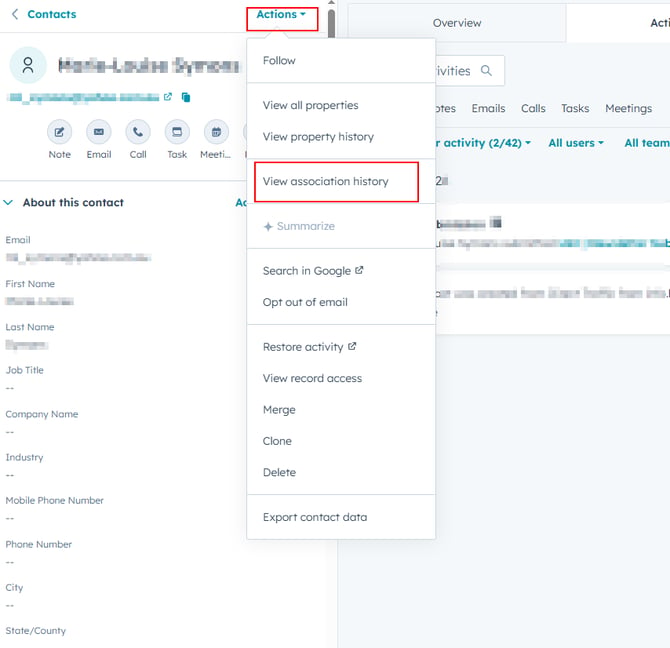
In the left sidebar, click the Actions dropdown menu.
-
Select View association history.
-
Use the Select an object dropdown to choose the related object (e.g., if you are on a Deal, select Contacts).
-
The table will show when the association was "Removed" and which user performed the action.
Step 2: Re-associate the Records
Once verified, you must manually re-link them:
-
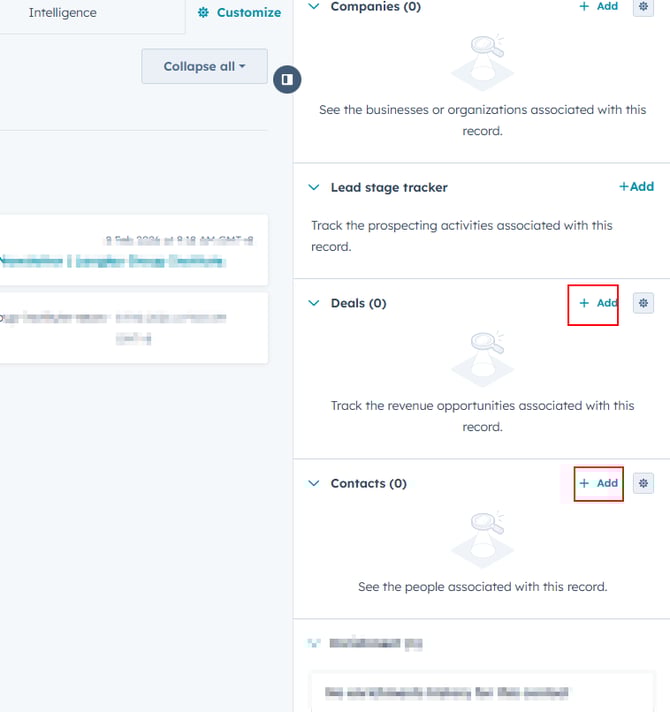
On the record page (Contact or Deal), look at the right-hand sidebar.
-
Find the relevant object section (e.g., Deals).
-
Click + Add.
-
Select Associate existing [Record].
-
Search for the name of the record and click Save.
Will my timeline activities (emails, notes) come back?
Yes. When you restore a deleted record, the timeline activities that were logged while they were linked will typically reappear on the timeline.