
When an external domain is not included in your HubSpot site tracking list, HubSpot may automatically mark form submissions coming from that website as spam.
To resolve this and ensure legitimate lead submissions are processed correctly, you must add the domain to your tracking list and release the submission from your spam queue.
Step 1: Identify the Form Submission Domain
- Open the form submission in HubSpot and go to the Spam tab

- Hover over the spam submission and click View Submission to inspect the submission details.
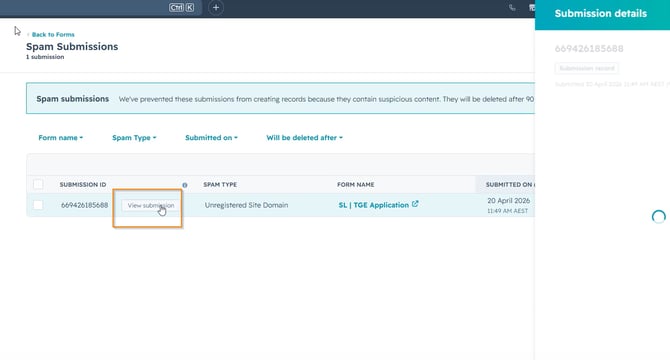
- Identify and copy the website domain where the form submission originated (e.(e.g, exampleonly.com.au)
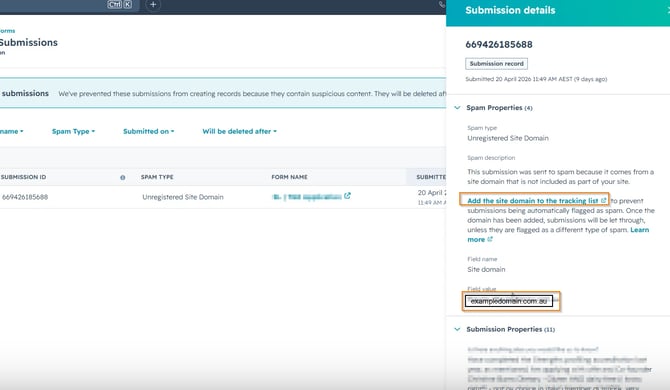
Step 2: Add the Domain to the HubSpot Site Tracking List
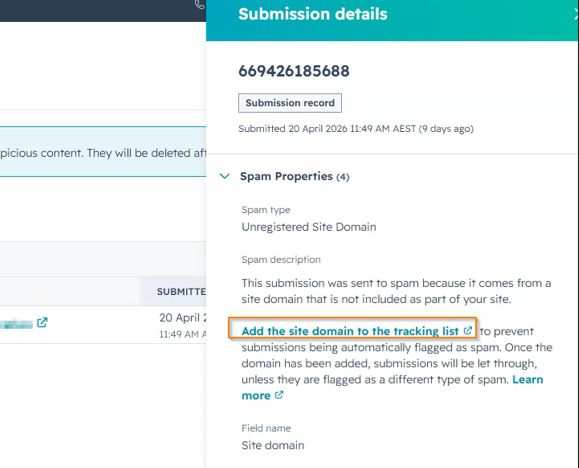
- Click the link Add the site domain to the tracking list.
- Review the list of existing tracked domains in your account settings.
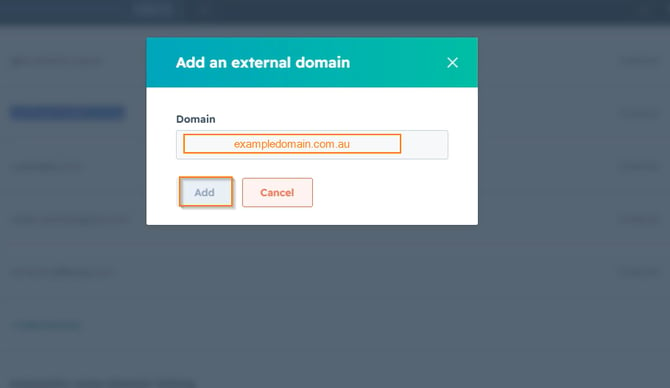
- Click Add domain.
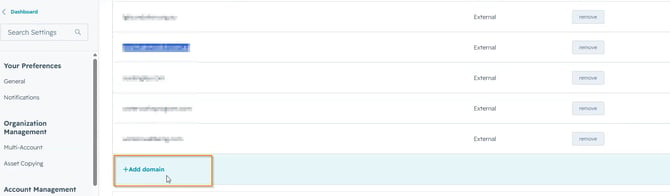
- Paste the copied domain name into the field and click Save.
Step 3: Release the Submission from Spam
- Return to the submission details page.
- Click Release (or Mark as not spam) to approve the form entry.
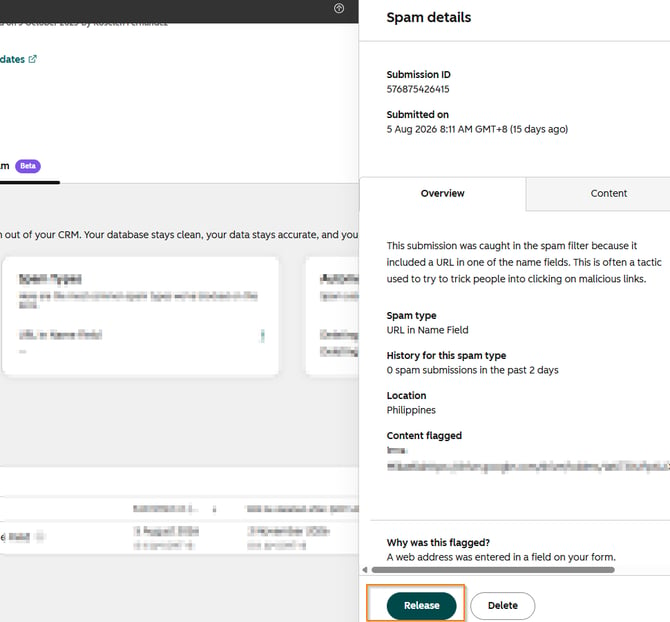
- If you encounter an error message after clicking Release, refresh your browser page to confirm the status update.
- Verify that the submission status updates to Not Spam, allowing the contact record and associated actions to process normally in HubSpot.
Key Requirements & Notes
- Unregistered Domains: Any website hosting your embedded HubSpot forms must be added to your account's site tracking domain list to avoid automated spam filtering.
- Troubleshooting Error Messages: If a temporary error appears when releasing a submission, refreshing the page usually confirms that the system successfully processed the "not spam" release action.