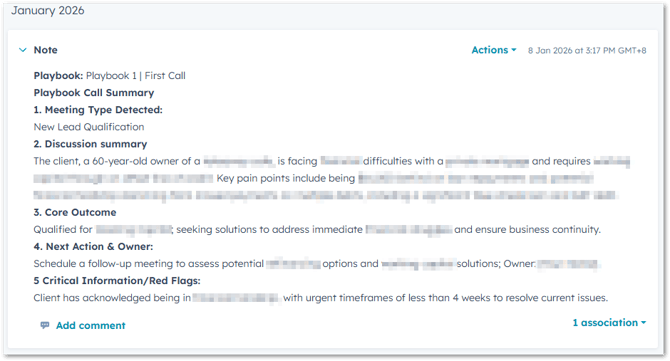
When sales representatives use the HubSpot Playbooks tool during a call, they capture a wealth of raw information by answering specific questions and taking live notes. Once the Playbook is saved and logged, it appears on the record.
To save time and improve visibility, this Workflow uses a specialised AI Data Agent to instantly "read" those logged Playbook notes and generate a concise, standardised summary. This ensures that anyone looking at the CRM can understand the call's outcome in seconds without reading through every playbook field.
Workflow Set up
The Workflow is designed to bridge the gap between a raw Playbook log and a polished internal note:
-
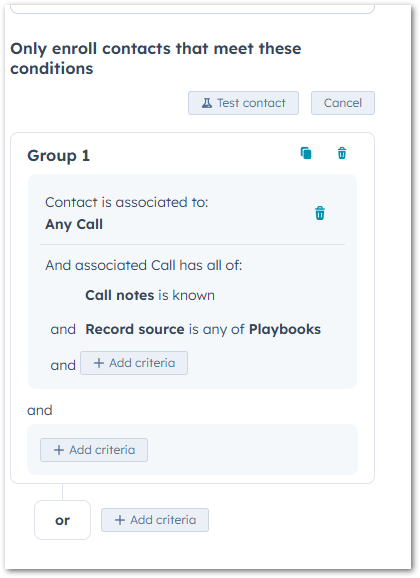
The Workflow monitors for a new Call Activity. It specifically looks for call notes where the "Record source" is Playbooks .
-
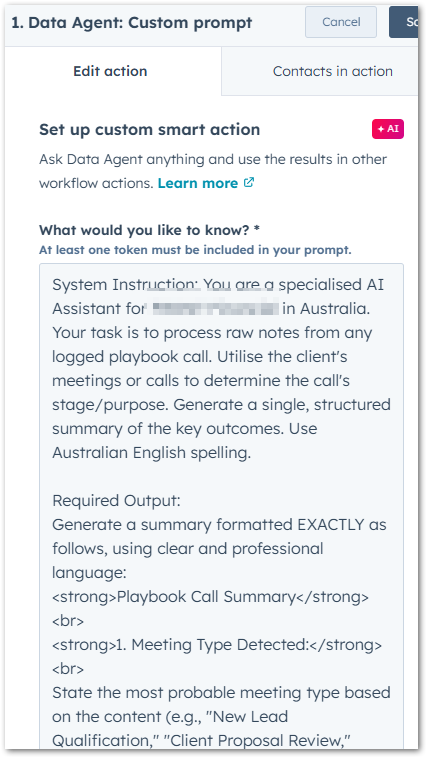
The Data Agent is triggered to analyse the specific answers.
-
Using HTML Formatting for Better Readability
Because HubSpot Notes support rich text, your AI prompt should include HTML tags. This prevents the summary from appearing as a single, messy block of text.
When setting up your Data Agent prompt, ensure you instruct the AI to use these tags:
-
<strong>Text Here</strong>: Use this to bold section headers (e.g., 1. Discussion Summary). -
<br>: This creates a line break. Use at least one<br>after a header and between sections to create white space. -
Standardised Labelling: Using tags ensures that every summary looks identical, making the CRM much easier to navigate for the whole team.
Here's an example Custom Data Agent prompt:
System Instruction: You are a specialised AI Assistant. Your task is to process raw notes from a logged HubSpot Playbook. Use the provided information to determine the call's purpose and generate a single, structured summary of the key outcomes. Use Australian English spelling throughout.
Required Output:
Generate a summary formatted EXACTLY as follows, using clear and professional language:
<strong>Playbook Call Summary</strong><br>
<strong>1. Meeting Type Detected:</strong><br>
State the most probable meeting type (e.g., "New Lead Qualification," "Proposal Review," or "Discovery Call").
<br>
<strong>2. Discussion Summary:</strong><br>
Briefly summarise the key topics, pain points, and solutions discussed in 2-3 sentences.
<br>
<strong>3. Core Outcome:</strong><br>
State the current status (e.g., Qualified/Disqualified) and the primary solution or service discussed. For partnership meetings, state the collaboration potential.
<br>
<strong>4. Next Action & Owner:</strong><br>
Identify the specific, immediate next step required and who is responsible.
<br>
<strong>5. Critical Information/Red Flags:</strong><br>
List any urgent timeframes, specific requirements, or major risks mentioned. If none, state: "None."
<br>
Source Notes: [Insert HubSpot "Call notes" Token Here]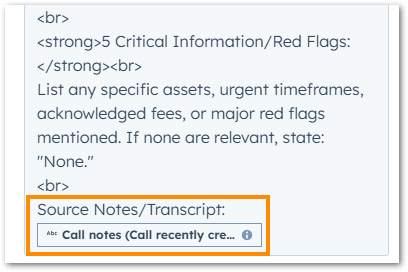
-
-
-
Finally, the Data Agent posts a new, formatted Note to the HubSpot record.
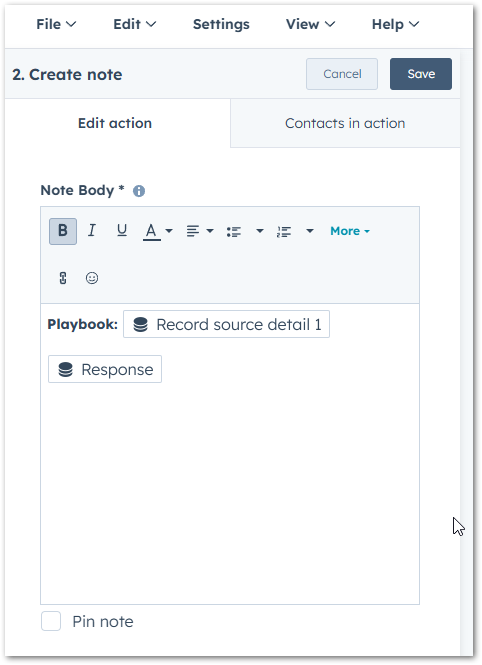
- 'Response' is the output from the previous action.
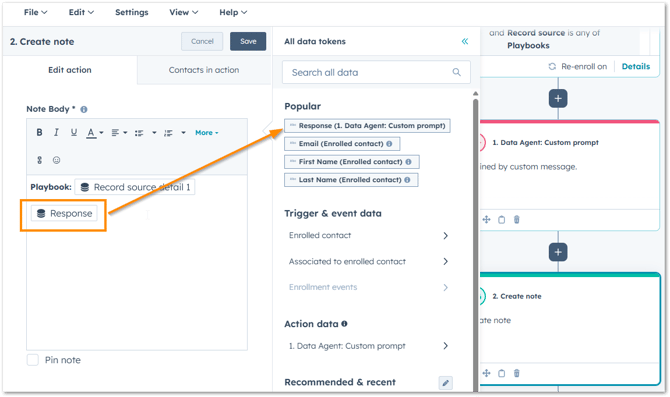
- 'Response' is the output from the previous action.
Example Output